







GeForce NOW Summary
Get From the Official Digital Markets
All trademarks belong to their
respective owners.
GeForce NOW feels like one of those services that makes me rethink where gaming actually happens. I do not experience it as a traditional console, a download launcher, or a single storefront. I experience it as a bridge between my library and a powerful remote machine that handles the heavy lifting while I play on whatever screen is convenient. That idea still feels slightly futuristic to me, especially when a demanding PC game starts running on a device that would normally struggle to open it smoothly.
What I like most about GeForce NOW is that it does not ask me to abandon the games I already own. Instead of selling me a separate closed collection, it connects with supported titles from my existing accounts and lets me stream them through NVIDIA’s cloud servers. That gives the service a different personality from many subscription libraries. It feels less like renting access to a fixed catalog and more like extending the reach of my own PC gaming habits.
A Cloud Gaming Service That Feels Built Around Flexibility
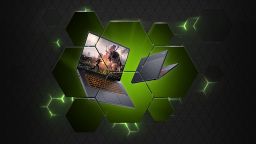
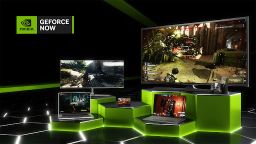
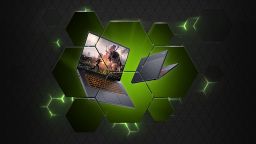
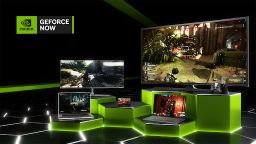
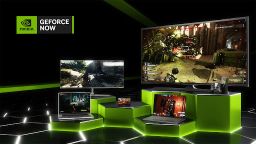
The strongest appeal of GeForce NOW is flexibility. I can play supported PC games on devices that are not gaming PCs, and that changes how I think about access. A laptop, tablet, phone, browser, or smart TV can become a gaming screen as long as the connection is strong enough. That freedom is the main reason the service feels valuable to me.
I especially appreciate it when I do not want to install a huge game locally. Storage space is always a problem with modern games, and GeForce NOW reduces that pressure. Instead of clearing files, waiting for large downloads, or managing updates, I can often jump into a session much faster. The convenience is not perfect every time, but when it works smoothly, it feels excellent.
The service also fits different lifestyles. It can help someone with an older computer play newer games. It can help a frequent traveler continue playing without carrying a heavy gaming laptop. It can also work as a secondary setup for players who already own a strong PC but want more ways to access their games around the house.
The Visual Experience Depends on the Tier and the Connection
GeForce NOW can look impressive, but the quality depends heavily on the plan, device, display, and internet connection. When everything lines up properly, the image can feel sharp, smooth, and surprisingly close to local play. High-end tiers can deliver a premium feeling, especially in games that benefit from strong graphics settings, high frame rates, and ray-traced lighting.
I noticed that the service is at its best when the connection is stable and fast. A clean stream makes the game feel natural. Text is easier to read, motion feels smoother, and visual details hold together better during fast movement. In slower or unstable conditions, the experience can become less consistent. Compression, resolution shifts, or input delay can remind me that I am streaming rather than running the game directly on my machine.
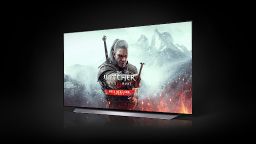
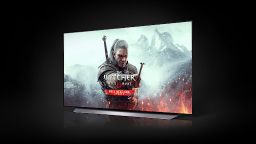
The aesthetic quality of GeForce NOW is unusual because it is not tied to one visual style. The service simply reflects the game I launch. A dark role-playing game, a colorful racer, a competitive shooter, and a detailed strategy title all show different sides of the platform. The real visual identity of GeForce NOW is not art direction. It is the ability to preserve a game’s look across devices that would not normally handle it well.
The Main Characters Are My Own Game Libraries
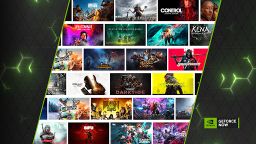
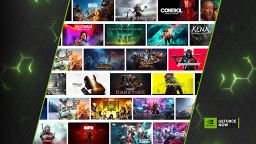
GeForce NOW does not have main characters in the usual sense. The main characters are the games I bring into it. That makes the service feel personal because its value depends on what I already play and what is supported. If my favorite titles are available, GeForce NOW feels powerful. If a game I want is missing, the limitation becomes obvious immediately.
I like that the service respects the idea of an existing PC gaming library. When I connect supported accounts, I feel as if I am taking my collection into the cloud rather than starting from zero. That is especially satisfying with games I have already bought, customized, or spent hours progressing through.
At the same time, library support is one of the most important things to check before getting too excited. GeForce NOW is not a universal magic button for every PC game. Availability depends on publisher support and platform integration. For me, that means the service works best when I treat it as a powerful extension for compatible games rather than a complete replacement for a local PC.
Performance Can Feel Surprisingly Close to Local Gaming
The best sessions I have had with GeForce NOW feel impressively responsive. When the stream is stable, movement, camera control, menu navigation, and combat can feel smooth enough that I stop thinking about the cloud part and simply play. That is the highest compliment I can give a cloud gaming service. The technology disappears when it works well.
Fast-paced games are the real test. In slower single-player titles, a small delay may be barely noticeable. In competitive or reaction-heavy games, every bit of responsiveness matters. GeForce NOW can perform very well, but my confidence depends on connection quality. Wired internet or strong Wi-Fi makes a major difference.
I also like how the service handles demanding games without making my local device hot, loud, or overloaded. The remote server does the hard work, while my device mainly receives the stream and sends inputs. That creates a calmer experience on lightweight hardware, especially during long sessions.
The Setup Is Simple, But Not Always Effortless
Getting started with GeForce NOW is fairly straightforward. I install the app or open the service through a supported browser, connect accounts, search for supported games, and launch. The basic idea is easy to understand, which makes the service approachable even for players who are not deeply technical.
Still, the experience is not completely frictionless. Some games may require account sign-ins, launcher confirmations, settings checks, or occasional syncing. These steps are understandable because GeForce NOW connects to external platforms, but they can interrupt the fantasy of instant play. I enjoy the convenience most when the game launches cleanly and remembers what it needs.
There is also a small learning curve around settings. Stream quality, resolution, frame rate, server region, and network conditions all affect the final result. I found that taking a little time to adjust these settings can improve the experience significantly. GeForce NOW is easy to start, but better when I tune it to my setup.
Game Compatibility Shapes the Whole Experience
Compatibility is the biggest practical factor in whether GeForce NOW feels amazing or limited. The service supports many games, but not every game. That means I have to think carefully about my personal library. A player with many supported titles may see huge value, while someone whose favorite games are missing may feel restricted.
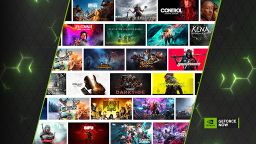
I appreciate that the service continues to add games, because a growing library makes the platform more useful over time. New additions can turn it into a better deal without me changing hardware. Still, I do not judge GeForce NOW only by the size of the catalog. I judge it by whether it supports the specific games I actually want to play.
This makes GeForce NOW different from a console purchase. With a console, I mostly ask what games exist for the platform. With GeForce NOW, I ask whether the games I already own and care about are available through the service. That distinction matters a lot.
It Works Best When I Have a Stable Network
Internet quality is the invisible hardware of GeForce NOW. A strong network can make the service feel smooth and premium. A weak one can make the same game feel unstable. That makes the experience less predictable than local gaming, where performance mostly depends on the machine in front of me.
I found that network stability matters more than raw speed alone. Consistent performance, low latency, and minimal packet loss are essential. A fast connection that fluctuates can still cause problems, while a stable connection can make the service feel dependable.
This is why GeForce NOW is brilliant in the right environment but not ideal everywhere. At home with strong internet, it can feel like a serious gaming solution. On a poor hotel connection or crowded public Wi-Fi, it may feel much less impressive. The service gives me freedom from hardware, but not from network reality.
The Interface Focuses on Access Rather Than Personality
The interface of GeForce NOW is clean and functional. It is not trying to be a playful game hub full of character and decoration. Its main job is to help me find games, check support, manage sessions, and launch quickly. I like that directness because the service itself is not the entertainment. The games are.
Search and library organization are important here. When I can quickly find a supported title and start playing, the service feels smooth. When I have to check compatibility or reconnect accounts, the experience feels more like a technical platform. The difference between those two moments shapes my overall impression.
I would describe the interface as practical rather than charming. It does not need mascots, dramatic animations, or heavy social features. It needs to get me from my device into my game with as little resistance as possible. When it does that, I barely think about the interface at all.
Best for Players Who Want Power Without New Hardware
GeForce NOW makes the most sense for players who want better performance without buying or upgrading a gaming PC. That is its clearest value. Instead of investing in expensive hardware, I can stream from powerful cloud machines and play supported games on simpler devices.
It also works well as a companion service. Even if I already have a gaming setup, I can use GeForce NOW when I am away from that machine or when I want to play somewhere else. This makes it feel less like a replacement and more like an extra layer of convenience.
The service is not perfect for everyone. Players who need full offline access, complete control over game files, mod-heavy setups, or guaranteed support for every title may still prefer local hardware. But for supported games and a strong connection, GeForce NOW can feel like a surprisingly practical way to make PC gaming more portable and less dependent on one powerful device.