

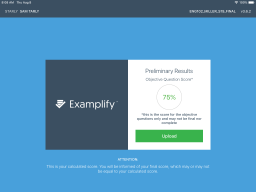
Examplify Summary
Get From the Official Digital Markets
All trademarks belong to their
respective owners.
Examplify is not the kind of education app someone downloads because it looks fun, colorful, or mildly addictive during a coffee break. It exists for a more serious moment: the exam. The app is built for schools, universities, certification programs, and exam-takers who need a controlled digital testing environment. That makes it very different from flashcard apps, quiz games, or casual learning tools. Examplify is less about learning new material and more about proving what the student already knows under secure conditions. In other words, it is the app version of “please close everything else, take a deep breath, and do not panic.”
The Core Purpose Is Secure Digital Testing
ExamSoft describes Examplify as the test-taking application for students and exam-takers, while the broader ExamSoft platform is used by exam-makers to create, deliver, and analyze assessments. That division matters because Examplify is not the whole assessment system by itself. It is the student-facing piece of a larger secure assessment workflow.
I like that the product has a very clear job. It delivers exams to the exam-taker’s device, helps control the testing environment, and returns answers to the institution. There is no need for it to behave like a social learning app or a gamified study companion. Its value depends on stability, security, and trust. If an exam app works, students may barely think about it. If it fails, everyone remembers it forever.
-
Examplify is designed for students and exam-takers, not for casual self-study;
-
The app works as part of the wider ExamSoft assessment platform;
-
Its main role is secure exam delivery and answer submission;
-
The product’s success depends more on reliability than entertainment;
Offline Testing Is the Main Practical Advantage
One of Examplify’s biggest selling points is offline testing. ExamSoft says its digital assessment platform can deliver secure exams without needing a persistent Wi-Fi connection, while the App Store listing describes Examplify as a secure offline testing application for iPad. That is important because internet instability should not decide whether an exam goes smoothly.
I appreciate this feature because exams are stressful enough without depending on a perfect network connection. Students can download an exam before test time, complete it in the controlled environment, and upload the answer file afterward when required. That does not remove all technical risk, but it reduces one of the biggest problems in digital assessment: the fear that a bad connection will interrupt a high-stakes moment.
The iPad Version Makes the Product More Flexible
Your product entry lists Examplify as an iOS product, and the App Store page specifically describes Examplify as a secure offline testing application for iPad. That makes sense for institutions that use tablets in testing environments, especially where portability and simplified device management matter.
I like the idea of secure iPad testing because the hardware is familiar, compact, and easier to carry than many laptops. For students already using iPads in school or professional programs, Examplify can fit naturally into the device ecosystem. The important detail is preparation. Students need to install the correct version, check requirements, download the exam, and understand the test-day workflow before the exam begins.
-
The iPad version supports portable secure testing;
-
Students can use a familiar tablet interface for exam delivery;
-
Institutions can standardize exam procedures around supported devices;
-
Preparation matters because exam-day setup mistakes can become stressful quickly;
Lockdown Features Are the Point, Not a Bonus
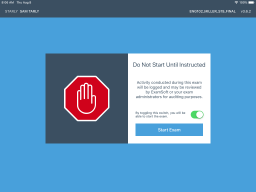
ExamSoft’s security documentation explains that a secure assessment can lock down the exam-taker’s computer completely when the assessment begins, allowing access only to Examplify and blocking programs, hard-drive information, background apps, and the internet. That is central to why institutions use this kind of tool.
I think this is where Examplify differs most from ordinary digital quiz platforms. It is not just presenting questions on a screen. It is trying to make the student’s device behave like a controlled exam station. That is useful for academic integrity, but it also means the app must be handled carefully. Students should understand what will be restricted before test day, not discover it during the exam.
ExamID Adds Identity Verification
ExamSoft’s support page explains that ExamID authenticates a student’s identity by using the camera at the start of an exam. For remote or semi-remote assessments, that is a major part of the integrity workflow. The institution wants confidence that the registered exam-taker is the person taking the exam.
I see ExamID as useful but sensitive. Identity verification can make remote testing more credible, but students should know what data is being collected, when the camera is used, and what the institution expects. Trust matters here. A security feature can support fairness, but only when the process is explained clearly.
-
ExamID supports identity authentication before an exam begins;
-
The feature is especially relevant for remote or high-stakes testing;
-
Camera-based verification should be explained clearly to students;
-
Identity checks work best when institutions communicate privacy expectations in advance;
ExamMonitor Adds Remote Proctoring
ExamSoft says ExamMonitor proctors assessments by using the screen recorder, camera, and microphone throughout the exam. ExamSoft’s proctoring process page also describes exam-takers completing exams offline while audio and video are recorded, with encrypted answer files and encrypted audio/video files uploaded after the exam.
I like the practical value of this for remote assessment, but it is also the part that students may feel most strongly about. Being recorded during an exam can feel uncomfortable, especially in personal spaces. For institutions, the benefit is integrity and auditability. For students, the concern is privacy, fairness, and whether flagged behavior is interpreted correctly. ExamMonitor can be powerful, but communication and policy matter as much as the software itself.
The App Is Built for High-Stakes Environments
ExamSoft is commonly positioned for secure assessments in higher education, professional programs, and high-stakes testing. Its platform emphasizes exam security, data, scoring, and learning analytics. That makes Examplify feel more institutional than consumer-facing.
I think this is important for expectations. Examplify is not trying to delight users with playful features. It is trying to protect exam integrity. Students may experience it as strict, but that strictness is the reason institutions choose it. The app’s best version is quiet, stable, and predictable. In an exam context, boring reliability is a compliment.
-
Examplify is suited to formal assessments rather than casual quizzes;
-
Institutions use it to support controlled exam delivery;
-
Security and reliability matter more than visual personality;
-
The app’s value is strongest when the stakes are high enough to justify lockdown controls;
The Student Experience Is Mostly About Preparation
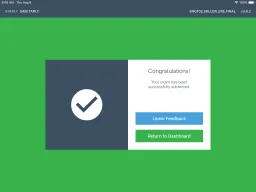
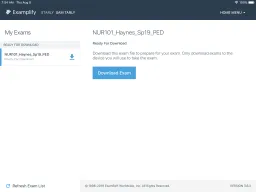
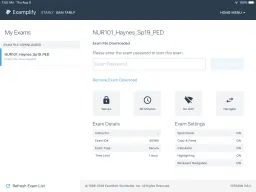
Examplify can feel straightforward when students prepare properly: install the app, register, check system requirements, download the exam, understand allowed materials, take the exam, and upload responses. ExamSoft’s iPad support page specifically guides exam-takers through setup, installation, preparation, and taking exams.
I like that the workflow can be predictable, but only if the institution trains students well. A student who opens Examplify for the first time on exam morning is asking for stress. The best experience happens when schools run practice exams, confirm device readiness, explain upload steps, and make support options clear before the real assessment.
System Requirements Are Not Optional
ExamSoft’s minimum system requirements page notes that internet is required for download, registration, exam download, upload, and some exam features, while secure exams cannot be run in virtualized environments such as VMWare, Parallels, Citrix workspace, virtual disks, or streamed images. Those details matter because exam software can be strict about device conditions.
I think students and institutions should treat system checks as part of the exam, not as a minor technical chore. A laptop or iPad that works for normal browsing may not be acceptable for a secure exam. That is frustrating when discovered late, but reasonable when communicated early. Examplify depends on a controlled environment, so unsupported setups are a serious issue.
-
Internet is still needed for setup, exam download, registration, upload, and some features;
-
Secure exams are designed to run outside virtualized environments;
-
Device checks should happen before exam day;
-
Institutions should provide clear technical instructions and practice opportunities;
The Interface Should Stay Out of the Way
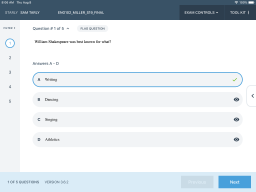
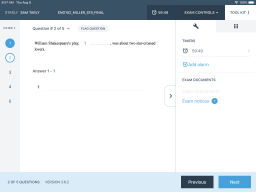
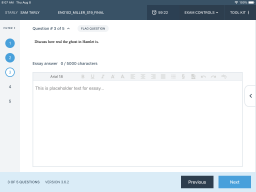
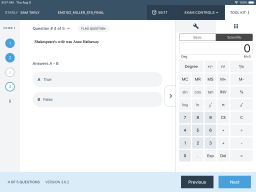
In a testing app, interface design has a different job. It should not distract. Students need clear navigation, readable questions, stable answer entry, visible timers, predictable upload status, and obvious instructions. Every unnecessary surprise increases stress.
I value Examplify most when it feels invisible. The app should let the exam be the hard part. If students are worrying about where answers went, whether the timer is clear, or how to submit, the software has become part of the challenge. A good secure exam tool should feel firm but not confusing.
The Faculty Side Benefits From ExamSoft’s Larger Platform
Examplify is the exam-taker application, but faculty and administrators usually work through the broader ExamSoft platform. ExamSoft describes its platform as a way to create, deliver, and analyze exams, with Examplify delivering assessments to exam-taker devices.
I like that separation because it keeps roles clearer. Faculty build and manage assessments; students take them in Examplify. The platform can then support grading, analytics, and reporting. Examplify alone is not the educational strategy. It is the secure delivery layer inside a larger assessment process.
-
Faculty use the ExamSoft platform to manage assessments;
-
Examplify delivers the exam experience to students;
-
Post-exam data can support grading and analysis;
-
The product works best when institutions design the full workflow carefully;
Analytics Make the Product More Than a Lockdown Tool
ExamSoft emphasizes assessment data, grades, scoring, and remediation strategies, not only lockdown security. This is important because secure delivery is only one part of assessment. Institutions also want to understand performance after the exam.
I like when assessment tools connect exam results to learning improvement. A secure test is useful, but a secure test that also helps faculty identify weak topics is more valuable. The best institutional use of Examplify is not just preventing cheating. It is collecting reliable results that can guide teaching, remediation, and program decisions.
Accessibility Needs Careful Planning
ExamSoft’s accessibility statement says Examplify includes features designed to accommodate exam-takers with accessibility needs, including features available inside Examplify and accommodation settings that can be enabled for individuals with specific needs. That is important because secure exam environments can accidentally create barriers if accommodations are not configured correctly.
I think accessibility should be handled early and personally. Students who need extra time, assistive tools, or specific accommodations should not be left to troubleshoot during the exam. Institutions need to test those settings ahead of time. In secure testing, accessibility is not a side feature; it is part of fairness.
-
Examplify includes accessibility-related features and accommodation settings;
-
Institutions should configure accommodations before the exam window;
-
Practice exams can help students confirm that settings work correctly;
-
Secure testing must balance integrity with equal access;
Privacy Concerns Are Real and Should Not Be Dismissed
Remote proctoring tools often raise student concerns about privacy, data collection, and fairness. Research on online proctoring has found that participants worried about the amount and personal nature of information shared with proctoring companies, while also recognizing a trade-off between safety and exam integrity.
I think this is a key part of any honest Examplify review. The technology can solve real problems for institutions, especially when remote or secure testing is necessary. But students are not wrong to ask what is recorded, how long data is kept, who reviews flags, and how appeals work. Good implementation requires transparency, not just software.
Security Claims Need Practical Support
ExamSoft’s security features are designed to restrict device access and protect assessment integrity, but no exam technology should be treated as magic. ExamSoft says secure mode locks access to only Examplify and blocks internet, files, and background programs during the exam. That is valuable, but institutional policies, proctor instructions, student communication, and technical support still matter.
I like secure software most when it is part of a complete assessment plan. The app can reduce opportunities for misconduct, but educators still need good exam design, clear rules, fair accommodations, and reliable support. Exam security is not one button. It is a process.
-
Lockdown features can reduce access to unauthorized resources;
-
Remote proctoring can add audit trails for exam review;
-
Institutions still need clear policies and support procedures;
-
Security works best when paired with thoughtful assessment design;
The App Can Feel Stressful Because Exams Are Stressful
It is difficult to separate Examplify from the emotional context of exams. Students may blame the app for anxiety that actually comes from the assessment itself. Still, exam software can either reduce or amplify that anxiety. A smooth setup helps. A confusing password, failed download, upload uncertainty, or device warning can make a stressful day worse.
I think the best institutions using Examplify understand this. They give students test runs, technical checklists, support contacts, and clear timing. When students know what will happen, the app becomes less intimidating. When they do not, every prompt feels like a trap.
It Is Not a Learning App in the Usual Sense
Examplify sits in the Education category, but it is not a study app like Duolingo, Quizlet, Khan Academy, or Edpuzzle. It is an assessment delivery tool. Students do not use it primarily to learn concepts. They use it to take formal exams.
This distinction matters for product expectations. A student may not “enjoy” Examplify, and that does not automatically mean the product fails. The better question is whether it makes exams secure, stable, and manageable. In that sense, Examplify should be judged like infrastructure, not entertainment.
-
Examplify is designed for assessment, not daily study practice;
-
Its main audience is institutions and exam-takers in formal testing contexts;
-
The app is successful when it is stable, secure, and predictable;
-
User enjoyment is less important than exam reliability and fairness;
The Best Use Case Is High-Stakes Testing
Examplify makes the most sense when exam integrity is important enough to require a controlled environment. That includes professional programs, medical or legal education, certification-style exams, university assessments, and institutional testing where identity, security, and reliable answer collection matter.
For low-stakes quizzes, it may feel like too much. A simple LMS quiz can handle casual checks for understanding. Examplify is for situations where the institution needs stronger control, offline delivery, and a more formal exam record. Using it for the right assessment type is key.
The Best Audience Is Institutions, Not Individual Learners
Examplify is easiest to recommend to schools, universities, licensing programs, and exam administrators already using or considering ExamSoft. Individual students usually do not choose it for fun; they use it because their institution requires it. That changes the whole product relationship.
I would not review Examplify like a personal productivity app. Its real value appears at institutional scale: consistent exam delivery, security controls, answer collection, and integration into assessment workflows. For students, the goal is simpler: make it work smoothly, take the exam, upload successfully, and move on with life.
-
Institutions gain the most from standardized secure assessment workflows;
-
Students benefit when setup and support are clearly explained;
-
The app is not meant for independent casual learning;
-
Its usefulness depends heavily on how well the school implements it;
Where Examplify Feels Most Effective
Examplify feels most effective when everything has been prepared before exam day. The app is installed, the device is supported, the exam is downloaded, students understand the rules, accommodations are configured, and support is available if something goes wrong. In that situation, the technology becomes a controlled room inside a device.
The product also succeeds when institutions use the wider ExamSoft platform thoughtfully. Secure delivery, offline testing, identity verification, proctoring, answer upload, scoring, analytics, and remediation all make more sense as one connected workflow. Examplify is strongest when it is not treated as a standalone app but as part of a complete assessment system.
Where Examplify Feels Less Strong
Examplify feels less strong when communication is poor. If students do not know system requirements, exam download rules, upload timing, ID verification steps, or proctoring expectations, the app can become a source of fear. Secure testing tools need very clear instructions because small mistakes can feel serious during a timed exam.
The second weakness is the natural discomfort around lockdown and remote proctoring. Features like camera-based identity checks, screen recording, microphone use, and restricted device access may support exam integrity, but they also raise privacy and fairness concerns. Institutions should address those concerns openly instead of assuming students will simply accept them.