edpuzzle Summary
Get From the Official Digital Markets
All trademarks belong to their
respective owners.
Edpuzzle is built around a simple classroom problem: students can watch a video, but that does not always mean they understood it, finished it, or stayed mentally present for more than the first thirty seconds. The platform tries to fix that by turning passive video into an active lesson. A teacher can take a video, add questions, include audio notes, assign it to a class, and then see how students interact with it. That changes the role of video in learning. Instead of being a digital handout that disappears into homework fog, the video becomes something measurable, guided, and easier to discuss afterward.
The Main Idea Is Strong Because It Solves a Real Teacher Problem
Edpuzzle’s official site says teachers can create interactive video lessons, integrate them into an LMS, ask questions to check comprehension, track student progress with instant analytics, and use Live Mode for gamified learning. That is a very practical promise. Teachers already use videos from YouTube, their own recordings, curriculum libraries, and school resources. Edpuzzle adds accountability and interaction on top.
I like that the platform is not trying to replace the teacher. It gives the teacher more control over a resource that classrooms already use. A science explainer, history clip, math walkthrough, language-learning video, or recorded lecture can become more useful when students have to stop, answer, think, and continue. The video becomes less like background noise and more like a guided checkpoint.
-
Teachers can turn existing videos into interactive assignments;
-
Embedded questions help check comprehension during the lesson;
-
Progress tracking makes video homework easier to monitor;
-
The platform fits naturally into flipped classroom and blended learning routines;
Creating a Lesson Feels Straightforward
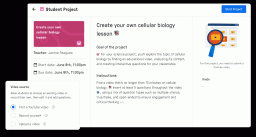
Edpuzzle’s teacher help center explains the workflow clearly: find a video on YouTube, upload your own, or reuse a lesson created by another teacher; edit the video by recording voice and embedding questions; then assign it and check student progress in real time while learners work at their own pace. That three-step structure is one of the platform’s biggest strengths.
I like tools that respect teacher time, because classroom technology can become a second job if it is not careful. Edpuzzle’s core workflow is easy to understand: choose, edit, assign, review. The deeper options matter, but the basic path does not require a long technical ritual. That makes it more realistic for teachers who are already juggling grading, lesson planning, emails, student needs, and the mysterious disappearance of every classroom pencil.
Embedded Questions Make Videos Less Passive
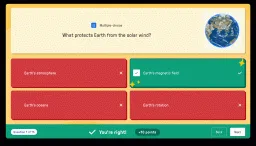
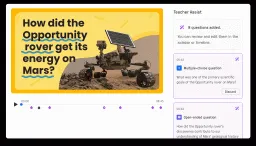
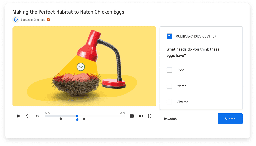
The most important Edpuzzle feature is the ability to place questions directly into a video. Students cannot simply press play and drift away. They are asked to respond at specific moments, which encourages attention and gives teachers useful information about understanding.
This works especially well when questions are used thoughtfully. A quick multiple-choice check can confirm basic comprehension. An open-ended question can reveal reasoning. A reflective question can connect the video to a larger lesson. The danger is overloading the video with too many interruptions. Edpuzzle is strongest when questions feel like helpful pauses, not speed bumps every eight seconds.
-
Questions can check whether students understand key moments;
-
Open-ended prompts can reveal student thinking more clearly;
-
Short checks help teachers find confusion before class discussion;
-
Too many embedded questions can make a video feel choppy;
Audio Notes Add a Teacher’s Voice Back Into the Video
One of the underrated strengths of Edpuzzle is the option to add teacher voiceover or audio notes. Google Play’s Edpuzzle listing says teachers can choose a video from verified channels or upload their own, then embed questions, voiceover, or audio notes for engagement. That matters because a video from another creator may be useful, but it may not match the exact classroom context.
I like audio notes because they let a teacher personalize the lesson without rerecording an entire video. A teacher can explain why a section matters, warn students about a common mistake, connect the clip to yesterday’s class, or add a small reminder before a question. That little voice can make a third-party video feel like part of the teacher’s own lesson plan.
The Analytics Are the Real Classroom Advantage
Edpuzzle’s value becomes much clearer after students complete assignments. The platform is not only about making videos interactive. It is also about seeing what happened. The official site emphasizes tracking progress with instant analytics, and the teacher help flow highlights checking progress while students learn at their own pace.
I think this is where Edpuzzle becomes more than a video editor. A teacher can see who watched, who struggled, where answers went wrong, and which parts may need reteaching. That information can shape the next class. Instead of asking, “Did everyone watch the video?” and receiving a room full of suspicious nods, the teacher has actual data.
-
Progress tracking helps teachers see completion more clearly;
-
Question results can reveal class-wide misunderstandings;
-
Analytics support reteaching and targeted follow-up;
-
Data makes video homework easier to connect to classroom instruction;
Live Mode Helps Bring Edpuzzle Into the Classroom
Edpuzzle is not only for homework. Its Live Mode lets teachers project a video in front of the class while students answer questions in real time on their own devices. This is useful because video-based learning does not always need to be asynchronous.
I like Live Mode for whole-class moments. A teacher can pause the room at the same point, collect answers, and use the results to guide discussion. It can make a video feel more like an interactive class activity than a screen break. The key is pacing. If the teacher uses Live Mode as a discussion tool, it can be lively. If it becomes only a digital worksheet on a projector, the energy drops.
Flipped Learning Is a Natural Fit
Edpuzzle fits flipped learning very well. Students can watch an instructional video before class, answer questions as they go, and arrive with some exposure to the material. The teacher can then use class time for practice, discussion, projects, problem-solving, or clarification.
This model works because Edpuzzle gives the teacher evidence. If many students missed the same question, the teacher knows where to begin. If only a few students struggled, the teacher can support them more directly. The platform makes pre-class video work less of a guessing game.
-
Students can engage with core content before class;
-
Teachers can use analytics to plan in-class follow-up;
-
Class time can shift toward practice and discussion;
-
Self-paced video lessons support students who need more time;
The LMS Integrations Make It Easier to Use at School Scale
Edpuzzle’s support center says it integrates with Google Classroom, Microsoft Teams, Canvas, Schoology, Moodle, Blackboard, Blackbaud, Clever, ClassLink, D2L Brightspace, and eKadence. This matters because teachers rarely want another isolated platform that creates extra login friction.
I like that Edpuzzle can live inside existing school systems. If students already use Google Classroom or Canvas, placing Edpuzzle assignments there makes adoption easier. The more a tool fits the school’s current workflow, the less likely it is to become a forgotten tab in a teacher’s browser.
The Student Experience Is Simple Enough
For students, Edpuzzle is usually straightforward: open the assigned lesson, watch the video, answer prompts, and submit. The Google Play listing frames the student app around flipped learning wherever students go, while the teacher side focuses on making any video into a lesson. That simplicity is important because students should be thinking about the content, not decoding the platform.
I like that the student side is not overloaded with unnecessary features. The assignment is clear, the video is central, and the questions appear at the right moments. Students who are used to video platforms can understand the basic interaction quickly. The main challenge is motivation, not interface complexity.
-
Students can complete assigned video lessons at their own pace;
-
The interface keeps the video and questions central;
-
Mobile access supports homework outside the classroom;
-
The experience is simple, but students still need self-discipline;
Teacher-Made and Shared Content Can Save Time
Edpuzzle lets teachers reuse lessons created by other teachers, according to its help center workflow. That can be a major time-saver. Teachers often do not need to build every lesson from scratch if someone has already created a strong version of a similar activity.
I like shared lesson libraries because they support realistic planning. A teacher can start with an existing video lesson, then adjust questions, trim content, or add their own voice. The best use is not copying blindly. It is adapting intelligently. A shared lesson becomes a starting point, not a substitute for teacher judgment.
Edpuzzle Works Across Many Subjects
Because Edpuzzle is built around video, it can work in many subject areas. A math teacher can pause during a worked example. A history teacher can ask students to interpret a source or timeline. A science teacher can check understanding during a lab explanation. A language teacher can use listening clips. A literature teacher can embed reflection questions into a scene analysis.
This flexibility is one reason the product makes sense for schools. It is not tied to only one curriculum. The teacher brings the content, and Edpuzzle adds interaction, pacing, and tracking. That makes it adaptable across grade levels and learning goals.
-
Math videos can include step checks and error-spotting questions;
-
Science videos can pause for predictions or concept checks;
-
History videos can include source, cause-and-effect, or timeline prompts;
-
Language lessons can use listening comprehension and vocabulary checks;
The Free Plan Is Useful, but Limits Matter
Edpuzzle’s support page says the service is 100% free for teachers and students, and that the free Basic plan lets teachers save up to 20 activities in an account. That is generous for testing the platform, but the activity limit matters for frequent users.
I see the free plan as a good entry point. A teacher can try the workflow, assign lessons, and decide whether it fits their classroom. But teachers who want to build a large video library will likely feel the limit. That is where school plans, paid options, or content management choices become more important.
Edpuzzle Is Better for Engagement Than Deep Instruction by Itself
Edpuzzle can make video lessons more active, but it does not automatically make every lesson effective. A weak video with shallow questions is still weak. A long lecture with random pauses can still feel dull. The platform improves delivery and tracking, but good instructional design still matters.
I think the best Edpuzzle lessons have a clear purpose. Each question should do something useful: check understanding, challenge a misconception, ask for prediction, connect to prior knowledge, or prepare a class discussion. When used that way, the tool supports learning. When used lazily, it can become a digital worksheet with a play button.
-
Good question design matters more than simply adding many prompts;
-
Shorter focused videos often work better than long passive lectures;
-
Teacher follow-up helps turn analytics into real instruction;
-
The platform supports pedagogy but does not replace it;
The Platform Encourages Accountability
One of Edpuzzle’s strongest classroom effects is accountability. Students know the teacher can see progress and responses. That changes how video homework feels. A video is no longer something to “watch later” and maybe skim. It becomes an assignment with checkpoints.
This can be very useful, but it should be handled carefully. Accountability should support learning, not create surveillance anxiety. The goal is not to catch students doing something wrong. The goal is to understand whether they engaged, where they struggled, and how the next lesson should respond.
It Can Help Absent Students Catch Up
Edpuzzle can be especially useful for students who miss class. A teacher can assign a video explanation with embedded questions, and the student can work through the material at home. That does not fully replace being in class, but it gives a structured path back into the lesson.
I like this use case because it makes catch-up work less vague. Instead of sending a student a plain video and hoping for the best, the teacher can guide attention and check understanding. For busy classrooms, that kind of structure can save a lot of confusion.
-
Absent students can review missed content with guided checkpoints;
-
Teachers can see whether catch-up work was completed;
-
Embedded questions help students focus on the most important ideas;
-
Video lessons can support review before tests or projects;
The Mobile App Supports Learning Away From Desks
Edpuzzle’s Google Play listing presents the app as a way for students to benefit from flipped learning wherever they go. That is important because students do not always complete assignments on a desktop computer. Phones and tablets are part of modern homework reality.
I like that mobile access makes assignments more flexible, but I would not pretend every video lesson is equally comfortable on a small screen. Shorter videos and simple questions work better. Complex diagrams, detailed math, or text-heavy content may still need a larger display. Edpuzzle can travel, but the lesson design should match the device.
Privacy and School Policy Still Need Attention
Any classroom platform that tracks student progress needs thoughtful school implementation. Teachers and schools should understand account setup, student data handling, LMS connections, and district policy before using a tool widely. Edpuzzle is designed for education, but responsible use still matters.
This is not a reason to avoid the platform. It is a normal part of using educational technology. The more a tool integrates with classrooms, the more important it becomes to use it transparently and according to school rules.
-
Schools should align Edpuzzle use with student data policies;
-
LMS integration should be configured carefully by educators or administrators;
-
Teachers should explain expectations clearly to students;
-
Progress data should be used to support learning, not only police completion;
The Best Lessons Are Short and Purposeful
Edpuzzle can technically support many kinds of videos, but the best classroom experience usually comes from shorter, focused lessons. A five-minute explanation with three strong questions may be more effective than a twenty-minute video interrupted ten times. Students are more likely to stay engaged when the assignment feels intentional.
I like using Edpuzzle as a precision tool rather than a dumping ground. The teacher should know exactly why the video is assigned. Is it introducing a topic? Reviewing a concept? Checking misconceptions? Preparing for discussion? The clearer the purpose, the better the platform performs.
Edpuzzle Is Not Only for Homework
Although flipped learning is a natural fit, Edpuzzle can also work inside class. Teachers can use it for stations, independent practice, review, substitute plans, enrichment, remediation, or whole-class Live Mode. That flexibility gives the platform more value than a simple homework tool.
I especially like it for differentiation. Some students can review foundational material while others move ahead. A teacher can assign different videos to different groups without building an entirely separate lesson from scratch. It is not a magic solution, but it gives teachers another practical lever.
-
Station work can use Edpuzzle for guided independent practice;
-
Review lessons can target concepts students struggled with;
-
Substitute plans become easier when video assignments are trackable;
-
Differentiated assignments can support students at different readiness levels;
The Main Weakness Is That It Can Feel Like Compliance
The biggest risk with Edpuzzle is that students may experience it as compliance: watch, answer, submit, repeat. If every video lesson feels the same, the interactivity can become routine rather than engaging. Students may learn how to get through the assignment instead of thinking deeply.
This is why variety matters. Teachers can mix question types, use shorter clips, follow up with discussion, ask students to explain reasoning, and avoid assigning Edpuzzle just because a video exists. The platform is useful, but it needs thoughtful pacing in the larger course.
It Works Best When Teachers Actually Use the Data
Analytics are valuable only if they influence instruction. If a teacher never looks at responses, students will eventually feel that the questions are just hurdles. If the teacher uses the results to reteach, group students, start discussion, or clarify confusion, Edpuzzle becomes much more meaningful.
I think this is the difference between good and average use. Edpuzzle should not end when the student clicks submit. The strongest learning happens when the teacher brings the results back into the classroom and shows that student responses matter.
-
Analytics should guide reteaching and review;
-
Common wrong answers can become discussion starters;
-
Individual results can help teachers spot students who need support;
-
Students take questions more seriously when responses affect instruction;
The Best Audience Is Teachers Who Already Use Video
Edpuzzle is easiest to recommend to teachers who already rely on instructional videos, flipped classroom methods, review clips, recorded explanations, or digital homework. It adds structure and accountability to habits they already have. It is also useful for schools that want video learning connected to an LMS rather than scattered across random links.
It may be less useful for teachers who rarely use video or who prefer fully live instruction. Edpuzzle can still help occasionally, but its value grows when video is a regular part of the learning cycle. The platform is not about replacing class. It is about making video-based learning less passive and more visible.
Where Edpuzzle Feels Most Effective
Edpuzzle feels most effective when a teacher assigns a focused video, embeds a few meaningful questions, reviews the analytics, and uses the results in the next lesson. That full loop is where the product shines. It turns video from a one-way resource into a feedback system.
The platform also succeeds because it fits real classroom workflows. LMS integrations, student progress tracking, Live Mode, reusable lessons, and audio notes all support practical teaching needs. Edpuzzle is not flashy in the entertainment sense, but it is useful in the way teachers usually care about: it saves time, clarifies understanding, and gives structure to learning.
Where Edpuzzle Feels Less Strong
Edpuzzle feels less strong when it is used as a substitute for teaching rather than a support for teaching. A video with embedded questions can be helpful, but students still need explanation, feedback, conversation, practice, and human guidance. The platform can organize learning, but it cannot automatically create classroom meaning.
It also depends heavily on lesson quality. A well-chosen clip with thoughtful prompts can be excellent. A long, unfocused video with shallow questions can become tedious. Edpuzzle gives teachers the toolset, but the instructional design still belongs to the teacher.