ABCya Summary
Get From the Official Digital Markets
All trademarks belong to their
respective owners.
I opened ABCya expecting a simple educational games platform for kids, but what stood out to me was how confidently it understands its audience. It does not try to make learning look like a serious digital classroom with a few rewards pasted on top. Instead, it starts from the opposite direction: children like color, movement, animals, puzzles, sounds, quick feedback, and small wins. ABCya uses that energy to make math, reading, typing, logic, and early learning feel less intimidating. I would not describe it as a replacement for full instruction, but as a very useful practice space. It gives children a way to repeat skills without making repetition feel dry, and that is exactly where many educational apps either succeed or quietly lose the room.
The First Impression Feels Bright, Simple, and Child-Friendly
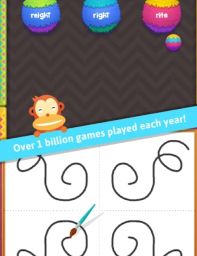
The first thing I noticed about ABCya is that it does not overload the screen with a heavy interface. The platform is colorful, direct, and clearly designed for young learners who need fast visual understanding. The grade-level structure helps a lot because it gives parents, teachers, and children a simple path into the content instead of forcing them to search through a confusing library.
I liked that the design feels playful without becoming unreadable. Educational apps sometimes confuse “fun” with visual chaos, but ABCya usually keeps its games approachable. The buttons, icons, characters, and categories make it easy to understand where to go next. That matters because children often lose patience quickly when the app itself becomes the hard part.
The Grade-Level Organization Makes the Platform Practical
ABCya’s strongest functional feature is its grade-based browsing. Since the platform is built around PreK through grade 6 learning, it can meet children at very different stages. A preschool learner may need letters, numbers, shapes, and basic interaction, while an older child may need multiplication, typing, grammar, reading practice, or logic challenges.
For me, this organization makes ABCya especially useful for adults. A parent does not need to guess where to begin. A teacher can quickly look for content that matches a classroom level. A child can also explore within a suitable range without feeling thrown into material that is obviously too advanced. That structure gives the platform a sense of order behind the playful surface.
-
PreK activities help with early letters, numbers, and basic recognition;
-
Elementary-level games support math, reading, typing, and logic practice;
-
Grade filters make the library easier for adults to manage;
-
The layout reduces friction for younger users;
The Games Work Best as Practice, Not Full Lessons
I think ABCya is strongest when used for skill reinforcement. The games are good at helping children repeat concepts in a playful way, but I would not treat most of them as complete lessons by themselves. A child may practice addition facts, spelling patterns, keyboard skills, or reading concepts, but they may still need explanation from a teacher, parent, or full curriculum.
That is not really a weakness if the platform is used correctly. Practice is one of the hardest parts of learning to make enjoyable. ABCya turns repetition into small interactive challenges, which can help children stay engaged longer than they might with a worksheet. The key is understanding its role: it supports learning rather than replacing all teaching.
Math Games Feel Accessible and Rewarding
The math content is one of the areas where ABCya feels most useful. Children can practice numbers, counting, addition, subtraction, multiplication, division, shapes, and other foundational skills through games that give instant feedback. This helps math feel less like a test and more like a challenge that can be retried.
I liked how many math activities use simple goals. Instead of presenting a long block of problems, the game format gives children a reason to continue. They may move a character, solve a puzzle, reach a score, unlock progress, or finish a playful task. That framing can reduce anxiety for learners who tense up when math appears in a traditional format.
Reading and Language Activities Add Real Value
ABCya’s reading and language games give the platform more balance. A good educational app for younger children should not be only about math drills. ABCya includes activities connected to letters, phonics, spelling, vocabulary, sight words, grammar, and reading comprehension basics. That variety helps children practice literacy from several angles.
What I appreciated most is that many of these activities feel low-pressure. Early readers need confidence as much as correction. If a game can make letter recognition, word matching, or spelling feel like play, the child is more likely to stay with it. ABCya understands that literacy practice often works best when it feels active and visual.
-
Letter games can help early learners recognize shapes and sounds;
-
Spelling activities support word familiarity;
-
Vocabulary games make language practice more interactive;
-
Reading-focused games can build confidence through repetition;
Typing Games Give ABCya a Useful Older-Student Angle
I was glad to see typing included because it gives ABCya practical value beyond early childhood basics. Typing is one of those skills children often need, but do not always get enough structured practice with. A game-based typing format can make the process feel more like training and less like a boring requirement.
Typing activities also fit naturally into the platform’s broader design. Children get immediate results, can improve through repetition, and can see progress through speed or accuracy. For older elementary students, this makes ABCya feel less babyish than some early learning platforms. It gives them something genuinely useful to practice.
The Visual Style Feels Safe, Cheerful, and Easy to Read
ABCya’s aesthetics are clearly built for comfort. The graphics are colorful, friendly, and simple enough for children to understand quickly. The app does not try to compete with high-end console visuals, and it does not need to. Its purpose is clarity, not spectacle.
That simplicity works well for education. Children should be able to focus on the skill being practiced, not fight through visual clutter. The cheerful design creates a welcoming tone, while the game structure keeps tasks from feeling too formal. I found the overall look effective because it respects the attention span of younger users.
Classroom Use Feels Natural
ABCya feels like a platform that teachers can use without needing to redesign their entire day around it. Because activities are organized by grade and skill, it can fit into centers, computer time, early finisher activities, small-group practice, or homework-style reinforcement. That flexibility gives it practical classroom value.
I can also see why teachers might like having a familiar resource that students can navigate independently. When a platform is too complicated, the teacher spends more time troubleshooting than teaching. ABCya’s simple structure helps reduce that problem. It is not perfect, but it is easy to imagine it fitting into everyday routines.
-
Teachers can use it for skill practice;
-
Students can work independently on many activities;
-
Grade and subject filters support quick planning;
-
Short games fit well into classroom time blocks;
Parents May Like the Balance of Fun and Structure
From a parent’s perspective, ABCya has a clear appeal. It gives children something that feels like a game, but it still has an educational purpose. That makes screen time feel more intentional. Instead of simply handing over a device for passive entertainment, a parent can guide a child toward math, reading, typing, or logic practice.
The platform also works because children can recognize it as fun. If an educational app feels too much like disguised homework, kids usually figure that out fast. ABCya avoids that problem by making many activities feel genuinely game-like. The learning purpose is there, but it does not always announce itself too loudly.
The Subscription Model May Be a Consideration
One practical point is that ABCya includes free access in limited forms, while broader access may require a subscription depending on platform and use. I do not see that as automatically negative, especially if a family or classroom uses the service regularly. A large library of educational games takes maintenance, updates, and organization.
Still, it is something parents and teachers should consider. If a child only needs occasional practice, free weekly access or selected games may be enough. If ABCya becomes part of a daily routine, a subscription may feel more reasonable. The value depends heavily on how often the platform is actually used.
Engagement Comes From Variety, Not One Perfect Game
ABCya does not rely on one unforgettable flagship game. Its value comes from variety. Children can move between math, reading, typing, logic, and just-for-fun activities, which helps prevent the experience from becoming stale. This is important because learning practice often needs repetition, and repetition becomes easier when the format changes.
The platform’s wide library also lets children discover preferences. One learner may love logic puzzles. Another may enjoy word games. Another may respond better to math challenges with movement and color. ABCya gives enough options to make practice feel more personalized than a single fixed app would.
Where ABCya Feels Most Useful
ABCya feels most useful as a support tool for early and elementary learning. It is easy to recommend for children who need extra practice, classrooms that need independent digital activities, or parents who want educational screen time with a lighter mood. The platform’s biggest strength is that it makes practice feel approachable.
I also like that it does not pretend every child learns the same way. Some activities are puzzle-like, some are fast, some are slower, some are focused on reading, and some are purely logic-based. That range gives adults more room to match a child’s mood and learning needs.
Where ABCya Feels Less Strong
ABCya can feel less strong when viewed as a complete learning system. It is excellent for games and practice, but it does not always provide the deep instruction, progress analysis, or structured curriculum that some families may expect from a full educational platform. It is better as a companion than a complete academic plan.
Some children may also treat the easiest activities as pure entertainment if adults do not guide the choice of games. That is not unusual for educational platforms. It simply means parents and teachers should occasionally check whether the selected activities match the child’s learning goals rather than only their favorite animations or rewards.