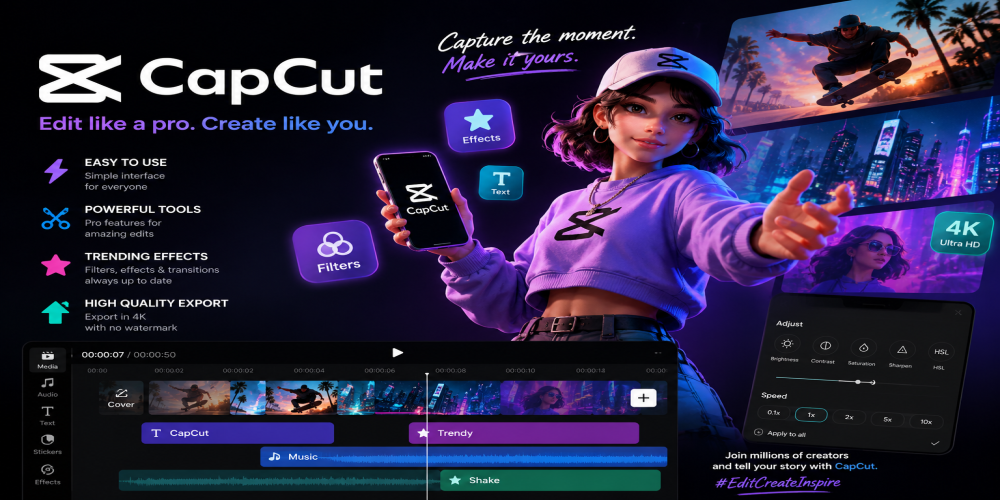
CapCut became essential because it solved a problem that millions of short-form creators face every day: how to make a video look polished without turning editing into a technical headache. TikTok, Instagram Reels, and YouTube Shorts move fast. Trends appear quickly, attention spans are short, and creators often need to record, edit, caption, export, and publish while the moment still feels fresh. CapCut fits perfectly into that rhythm. It gives beginners enough guidance to make stylish videos quickly, while offering regular creators the tools they need to build recognizable formats. The app’s success is not only about filters or templates. It is about speed, accessibility, and understanding how modern video culture actually works.
Short-Form Video Needed a Faster Editing Language
Traditional video editing can feel slow for creators who work inside TikTok, Reels, and Shorts culture. These platforms reward speed, timing, hooks, captions, rhythm, and visual clarity. A creator may not need a full desktop editing suite to make a strong 30-second video. They need fast cuts, readable text, clean transitions, music sync, and a simple export process.
CapCut became popular because it speaks that language naturally. It does not treat mobile editing as a weaker version of professional editing. Instead, it builds around the actual needs of social video: quick trimming, vertical layouts, trendy effects, auto captions, sound timing, and share-ready formats. That makes it feel practical from the first use.
Templates Turn Editing Into a Trend Machine
Templates are one of CapCut’s biggest advantages because they remove the hardest part of editing for casual users: structure. A good template already understands rhythm, transitions, timing, and visual movement. The creator only needs to add clips or photos, adjust details, and publish something that feels current.
This is why CapCut works so well with trend-based platforms. When a format becomes popular, templates help users join the trend quickly without rebuilding the edit from scratch. That speed matters because short-form trends can rise and fade in days. CapCut gives creators a way to participate while the trend is still alive.
-
Templates reduce editing time.
-
They help beginners copy popular formats.
-
They make trend participation easier.
-
They create polished videos without complex setup.
Mobile Editing Fits the Way Creators Actually Work
CapCut’s mobile-first appeal is a major reason it became essential. Many creators record content on their phones, manage social accounts from their phones, and post directly from their phones. Moving footage to a desktop can slow the process down. CapCut keeps the workflow in the same device where the content is often created.
This convenience changes creative behavior. A person can film a clip in the morning, edit it during a break, add captions in minutes, and post before the trend loses momentum. The app supports the informal, constant, and highly responsive nature of short-form video creation.
Auto Captions Became a Must-Have Feature
Captions are no longer optional for many short-form videos. People watch in public places, scroll without sound, or rely on text to understand the hook quickly. Clear captions can make a video easier to follow and more accessible. CapCut’s caption tools became valuable because they save creators time while improving viewer retention.
Auto captions also help creators focus on pacing. Instead of manually typing every sentence, they can generate text, correct mistakes, adjust style, and make the video feel more dynamic. This is especially useful for talking-head clips, tutorials, storytimes, reviews, reactions, and educational content.
Effects Help Ordinary Clips Feel More Watchable
CapCut understands that short-form video often needs visual energy. Effects, overlays, motion blur, speed changes, transitions, filters, stickers, and text animations can turn ordinary footage into something more engaging. The goal is not always cinematic perfection. Often, the goal is to keep the viewer watching for the next few seconds.
The app gives creators tools to make simple clips feel more expressive. A product demo can become cleaner. A vlog moment can feel more stylish. A joke can land better with a zoom or sound cue. A before-and-after video can feel more dramatic with the right transition. CapCut makes these touches easy enough for non-professional editors to use regularly.
-
Transitions create smoother movement between clips.
-
Filters help establish mood quickly.
-
Text animations make hooks more visible.
-
Speed tools add rhythm and emphasis.
Music Sync Gives Videos Instant Rhythm
Short-form platforms are deeply connected to music and sound. A clip often works because the cut lands on a beat, a transition matches a lyric, or a visual change follows a sound effect. CapCut became valuable because it helps creators shape videos around audio without needing advanced editing knowledge.
That rhythm is especially important on TikTok, Reels, and Shorts, where viewers make quick decisions. A video that feels slightly off-beat can lose attention fast. A video that moves with the sound feels more polished, even if the footage itself is simple. CapCut gives creators an easier path to that satisfying sync.
AI Tools Make Editing Feel Less Intimidating
CapCut’s AI-powered features help reduce the mental load of editing. Tools for background removal, captions, effects, image enhancement, resizing, and automated adjustments make the app feel useful even when the creator does not know exactly how to achieve a certain look. Instead of learning every technical step, users can start with guided features.
This is one reason CapCut appeals to beginners and busy creators alike. AI tools do not replace creativity, but they remove friction. The creator still chooses the idea, tone, clips, hook, and story. The app helps with the repetitive or technical parts that might otherwise slow the process.
CapCut Works for Many Creator Types
CapCut is not limited to one audience. A beauty creator can use it for transformations and product demos. A gamer can cut highlights. A teacher can make short explainer videos. A small business owner can create ads, behind-the-scenes clips, and customer-friendly tutorials. A lifestyle creator can polish daily vlogs, travel clips, or recipe videos.
This wide usefulness makes CapCut more than a trend app. It is a general editing tool built for modern attention patterns. Whether someone wants a funny clip, a cinematic montage, a sales video, or a fast tutorial, the app offers a practical starting point.
-
Influencers use it for daily content.
-
Small businesses use it for simple marketing videos.
-
Teachers use it for short educational clips.
-
Casual users use it for memories, memes, and social posts.
Vertical Video Feels Native Instead of Forced
CapCut works so well because it treats vertical video as the default creative format rather than an afterthought. TikTok, Reels, and Shorts are built around vertical viewing, and CapCut’s editing experience fits that world. Text placement, framing, resizing, overlays, and exports all feel aligned with mobile screens.
This matters more than it may seem. A video edited for horizontal platforms often needs extra adjustment before it works in vertical feeds. CapCut helps creators think in the same shape their audience will watch. That makes the final video feel more natural on the platforms where it is meant to perform.
CapCut Makes Branding Easier for Small Creators
Consistent editing style can help a creator become recognizable. Fonts, colors, pacing, intro formats, transitions, caption style, and recurring visual elements all contribute to personal branding. CapCut gives small creators a way to develop that consistency without hiring an editor or buying complex software.
For businesses, this is especially useful. A café, shop, fitness coach, artist, or online seller can create videos that feel cleaner and more professional. They may not need a studio-level production. They need content that communicates quickly, looks trustworthy, and feels native to social platforms.
Functionality That Rewards Speed and Experimentation
CapCut’s interface encourages experimentation because users can try effects, cuts, captions, templates, and music without feeling trapped in a difficult workflow. This is important for short-form creators because not every idea will work. A creator might test several versions of a hook, transition, or caption style before finding the strongest one.
Fast editing also makes posting feel less stressful. When the app lowers the cost of trying, users become more willing to create regularly. That regularity is valuable on TikTok, Reels, and Shorts, where consistency often matters as much as technical quality.
-
Quick previews help users judge edits faster.
-
Reusable styles support consistent posting.
-
Simple exports reduce publishing friction.
-
Easy adjustments encourage creative testing.
Why CapCut Became Part of Short-Form Culture
CapCut did not become essential only because it offers editing tools. It became essential because it fits the culture around modern video. Short-form content is fast, reactive, visual, trend-driven, and social. Creators need an app that can keep up with that pace while still making videos look intentional.
The app succeeds because it helps people move from idea to finished video quickly. It supports the creator who wants to follow a trend, the brand that needs a simple ad, the teacher who wants a clear explainer, and the casual user who wants a memory to feel more polished. CapCut became a standard tool because it makes short-form creativity feel possible every day.